


Play Now
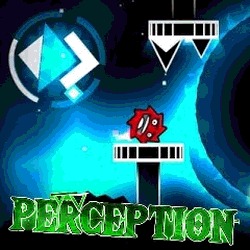
Geometry Dash Perception


 Geometry Dash Lite
 Geometry Dash Meltdown
 Geometry Dash World
 Geometry Dash Subzero
 Sonic Wave
 Geometry Dash Robot
 Geometry Dash 3D Shooter
 Geometry Dash: Dangerous Choices
 Geometry Dash Spider
 Geometry Dash: Impossible Wave
 Geometry Dash 8 bit
 Geometry Portal Challenge
 Geometry Dash Scratch
 Geometry Dash: Secret Mode
 Geometry Dash Freeznova
 Geometry Dash Bloodbath
 Geometry Dash The Nightmare
 Geometry Dash Change of Scene
 Geometry Dash Yatagarasu
 Geometry Dash Sonic Wave Infinity
 Geometry Dash Blade of Justice
 Geometry Dash Black Blizzard
 Geometry Dash Born Survivor
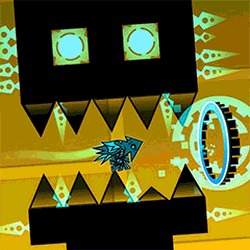 Geometry Dash Clubstep
 Geometry Dash Clutterfunk
 Geometry Dash Deimos
 Geometry Dash Duelo Maestro
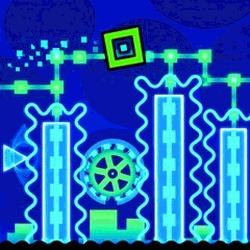 Geometry Dash Electrodynamix
 Geometry Dash Electroman Adventures
 Geometry Dash God Eater
 Geometry Dash Nine Circles
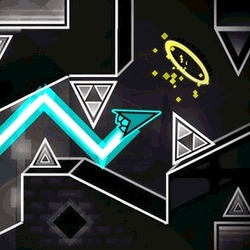 Geometry Dash Oblivion
 Geometry Dash Silent Clubstep
 Geometry Dash Stereo Madness
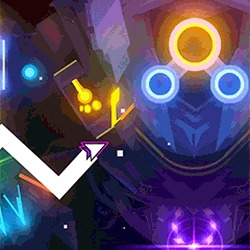 Geometry Dash The Eschaton
 Geometry Dash Ultra Violence
 Geometry Dash Wave Original
 Geometry Dash Ahippinandahoppin
 Geometry Dash Anasthasia
 Geometry Dash Anatomic
 Geometry Dash Aquamarine
 Geometry Dash Arcanic Spell
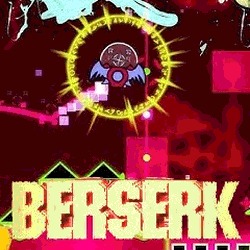 Geometry Dash Berserk
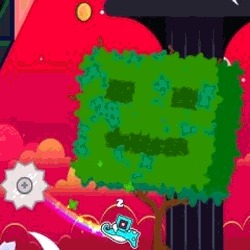 Geometry Dash Crush
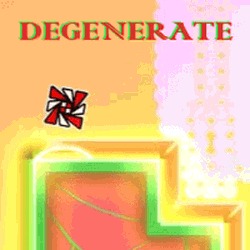 Geometry Dash Degenerate
 Geometry Dash Demon Forest
 Geometry Dash Down Unda
 Geometry Dash Endorphin Rush
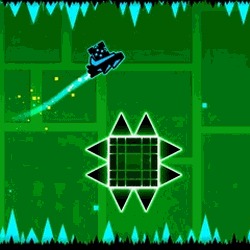 Geometry Dash Evolution of Flying
 Geometry Dash Explorers
 Geometry Dash Ferias
 Dash Kit
 Dash Kit 3
 Dashmetry
 Geometry Dash All Levels
 Geometry Dash Full
 Geometry Dash Happy Halloween
 Geometry Dash Horntail Cave II
 Geometry Dash Inscius
 Geometry Dash Lutetia
 Geometry Dash MeowDash
 Geometry Dash Moonlight
 Geometry Dash MotHriN
 Geometry Dash Mountain King
 Geometry Dash Nightglow
 Geometry Dash Ocean Rush
 Geometry Dash Odyssey
 Geometry Dash Orbitwolf
 Geometry Dash Outerspace
 Geometry Dash Perception
 Geometry Dash Quanteuse Processing
 Geometry Dash Quantum Processing
 Geometry Dash Razorleaf
 Geometry Dash Red World Rebirth
 Geometry Dash Requiem
 Geometry Dash Slasher
 Geometry Dash Splat
 Geometry Dash Spooky Light
 Geometry Dash Success
 Geometry Dash TechnitiuM
 Geometry Dash Two The Top
 Geometry Dash Unity
 Geometry Dash Way To The Skyland
 Geometry Dash Wild West
 Geometry Dash Xanadu
 Geometry Spot
 Spooky Dash
 Trigonometry Dash
 Geometry Dash Cheat Codes
 Geometry Dash Spam Challenge
 Geometry Dash Quasar
 3Dash
 Black Geometry Wave Super Challenge
 gd SubZero
 GD Tidal Wave
 Geometry Ball ChallengeGeometry Arrow
 Geometry Black Gorilla
 Geometry Dash Battle of the Memes!
 Geometry Dash Absolute GarbageGeometry Dash A To Z
 Geometry Dash Acheron (Easy)
 Geometry Dash Acropolis
 Geometry Dash Black Dragon
 Geometry Dash Badland
 Geometry Dash Black Line
 Geometry Dash Black Wave
 Geometry Dash Blast Processing
 Geometry Dash Colorblind
 Geometry Dash Crazy Ball
 Geometry Dash Cataclysm
 Geometry Dash Daily Level Dream World
 Geometry Dash Cyberpunk
 Geometry Dash Deadlocked
 Geometry Dash Dark Drop
 Geometry Dash Duckstep
 Geometry Dash Demons
 Geometry Dash Extrapolation
 Geometry Dash Flying Saucer
 Geometry Dash Fingerdash
 Geometry Dash Geometrical Dominator
 Geometry Dash Gear
 Geometry Dash HACKED
 Geometry Dash Hairless Adventure
 Geometry Dash Hexagon Force
 Geometry Dash Hardcore Ball
 Geometry Dash Highscore
 Geometry Dash Hyper Wave: Neon Challenge 2
 Geometry Dash Infrunami
 Geometry Dash Kappaclysm
 Geometry Dash iSpyWithMyLittleEyeGeometry Dash Kenos
 Geometry Dash Meltdown 3D
 Geometry Dash Maze Maps V2
 Geometry Dash Nemesis
 Geometry Dash Ocean Of Dreams
 Geometry Dash Nine CircleX
 Geometry Dash Rage Quit
 Geometry Dash Polargeist
 Geometry Dash Press Start
 Geometry Dash Scratch EditionGeometry Dash Retray
 Geometry Dash Sakupen Hell
 Geometry Dash Ship
 Geometry Dash Skeletal Shenanigans
 Geometry Dash Sonic Wave
 Geometry Dash Spam
 Geometry Dash Spam Test
 Geometry Dash Subzero 3D
 Geometry Dash Suponho
 Geometry Dash Tartarus
 Geometry Dash Theory of Everything 2
 Geometry Dash Toxic Factory
 Geometry Dash UFO Madness
 Geometry Dash Zodiac
 Geometry Dash Viking Arena
 Geometry Dash: UFO 2D
 Geometry Jump Sketchy
 Geometry jump 2
 Geometry neon dash Subzero
 Geometry Neon Dash Rainbow
 Geometry Dash Rash 2.0
 Geometry Dash Rash
 Geometry Vibes Monster
 Geometry Wave ChallengeGeometry Vertical Poligon Dash
 Geometry Zig-Zag ArrowGeometry Wave Hero
 I Just Might Dash
 Impossible Dash
 Labubu Geometry Waves
 Victory Lap Dash
 Space Waves 3D
 Wave Dash
 Gd Lite
 Christmas Dash
 gd world
 Geo Rush
 Geometry Arrow 3D
 Geometry Dash 1.5
 Geometry Dash 23
 Geometry Dash 3d
 Geometry Dash Acu
 Geometry Dash Benevolent
 Geometry Dash Aether Enterprise
 Geometry Dash Bloodlust
 Geometry Dash Breeze
 Geometry Dash Boss V Devourers
 Geometry Dash Demon List
 Geometry Dash Double Wave Pro
 Geometry Dash Endless
 Geometry Dash For Real
 Geometry Dash Funhouse
 Geometry Dash Grief
 Geometry Dash Gaminia
 Geometry Dash Horror
 Geometry Dash Hyper Wave
 Geometry Dash Impact X
 Geometry Dash IO
 Geometry Dash Lava Mod
 Geometry Dash Monster
 Geometry Dash Neon
 Geometry Dash Onward
 Geometry Dash Online
 Geometry Dash Rock Hard
 Geometry Dash Spam 3d
 Geometry Dash Sunshine
 Geometry Dash Super Bull Phonk
 Geometry Dash Switch
 Geometry Dash Tidal Wave
 Geometry Dash The Yandere
 Geometry Dash Unblocked
 Geometry Dash: Battle of the Memes 2!
 Geometry Escape
 Geometry jump
 Geometry Platformer
 Geometry Stars
 Geometry Tile Rush
 Geometry: Omega Nuggets Wave
 Halloween Geometry Dash
 Wave God 2.2 Challenge
 Brimstone-Rebirth
 Fire And Water Geometry Dash
 GD Meltdown
 Geometry 3Dash
 Geometry Dash 2.2
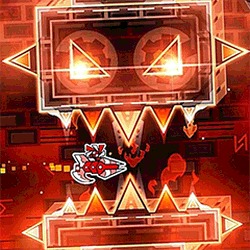 Geometry Dash Afterlife
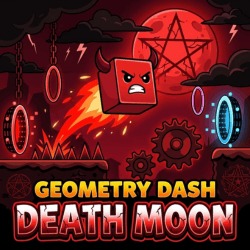 Geometry Dash Death Moon
 Geometry Dash Limbo
 Geometry Dash Lite 3D
 Geometry Dash Slaughterhouse
 Hyper Wave Trial
 Finger Dash
 Geometry Dash Wave 3D
 Among Dash
 Case Opening: Geometry Dash
 Dash Master
 Draw Simple - Geometry Dash
 Frank In Geometry Maps
 Friday Night Dashing
 Geo Dash
 Geo Dash 2
 Geometric Dash Time to Travel!
 Geometrical Dash
 Geometry 2.2
 Geometry Ball: Hardcore!
 Geometry Craft 3D
 Geometry Dash - Clicker
 Geometry Dash - Minecraft Skins
 Geometry Dash 2D: Platformer
 Geometry Dash 3D: 12 Characters
 Geometry Dash Bit by Bit
 Geometry Dash Blackboard
 Geometry Dash Clone
 Geometry Dash Crazy
 Geometry Dash Full Version
 Geometry Dash Levels
 Geometry Dash Maze Maps
 Geometry Dash Merge: The Evolution of Smiles
 Geometry Dash Skibidi Toilet
 Geometry Dash Stars
 Geometry Dash SubZero 2
 Geometry Dash with MiSide
 Geometry Dash: Avatar Game
 Geometry Dash: Battle of the Memes!
 Geometry Dash: Black Ball
 Geometry Dash: Dangerous Choices
 Geometry Dash: Fight with Brainrot!
 Geometry Dash: Hardcore!
 Geometry Dash: Labubu Hardcore
 Geometry Dash: Lava Mode
 Geometry Dash: Mega Runner
 Geometry Dash: Mr. Dubstep
 Geometry Dash: Super Bull Fonk
 Geometry Dash: Ufo
 Geometry Dash: Zrist
 Geometry Desh: Neon
 Geometry Emoji Dash
 Geometry Flap
 Geometry Loop Jump
 Geometry Neon Dash
 Geometry Neon Dash World
 Geometry Rocket Adventure
 Geometry Rush
 Geometry School: Fight With Russian Teachers
 Geometry Subzero
 Geometry Tower
 Geometry Vibes
 Geometry Vibes 3D
 Geometry Vibes X-Arrow
 Geometry Wave: Online Editor
 Impossible Light Dash
 Italian Brainrot in Geometry Dash
 Labubu in the World of Geometry Dash
 Neon Dash 2
 Noob in Geometry Dash
 Paper Dash
 Quantum Geometry
 Skibidi Geometry Dash
 Skibidi Toilet: Geometry Dash
 Sprunki Dash 2.0
 The Impossible Geometry Dash
 Tung Tung Sahur in Geometry Dash
 Vex Hyper Dash
 Winter Dash
 Xmas Dash
 Hot
 Popular
What Is Geometry Dash Perception?
Geometry Dash Perception is a community-made project hosted on Scratch and associated with creator Megasonic_booms. It belongs to the wider collection of Geometry Dash-inspired experiences shared by independent creators.
Its listed mechanics suggest a focus on judging routes and responding to visual cues.
How to Play Geometry Dash Perception
Tips for Playing
Pay close attention to visual changes and possible misleading cues. Take time to understand the route rather than relying on assumptions.
More Games to Try
Explore Geometry Dash Degenerate for another challenge involving deceptive layouts or Geometry Dash Anasthasia for changing movement sections.
Frequently Asked Questions (FAQ)
1. Is Geometry Dash Perception free to play online?
Yes! Geometry Dash Perception is 100% free to play directly in your web browser on GeometryJump.games with no download, installation, or registration required.
2. What are the controls for Geometry Dash Perception?
Press Spacebar, the Up Arrow key, or Left Mouse Click on PC to jump. On mobile phones and tablets, simply tap anywhere on the screen.
3. Can I play Geometry Dash Perception on school Chromebooks or mobile devices?
Yes. Geometry Dash Perception runs on lightweight HTML5 and WebGL technology, providing unblocked, full-speed gameplay on Chromebooks, Windows PCs, Macs, iPhones, and Android devices.
4. What tips help improve high scores in Geometry Dash Perception?
Listen closely to the background rhythm for jump timing cues, keep your eyes focused slightly ahead of your icon rather than right on it, and avoid panic tapping.