


Play Now
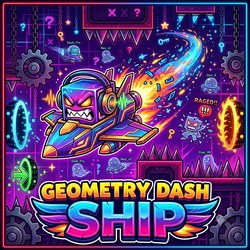
Geometry Dash Ship


 Geometry Dash Lite
 Geometry Dash Meltdown
 Geometry Dash World
 Geometry Dash Subzero
 Sonic Wave
 Geometry Dash Robot
 Geometry Dash 3D Shooter
 Geometry Dash: Dangerous Choices
 Geometry Dash Spider
 Geometry Dash: Impossible Wave
 Geometry Dash 8 Bit
 Geometry Portal Challenge
 Geometry Dash Scratch
 Geometry Dash: Secret Mode
 Geometry Dash Freeznova
 Geometry Dash Bloodbath
 Geometry Dash The Nightmare
 Geometry Dash Change of Scene
 Geometry Dash Yatagarasu
 Geometry Dash Sonic Wave Infinity
 Geometry Dash Blade of Justice
 Geometry Dash Black Blizzard
 Geometry Dash Born Survivor
 Geometry Dash Clubstep
 Geometry Dash Clutterfunk
 Geometry Dash Deimos
 Geometry Dash Duelo Maestro
 Geometry Dash Electrodynamix
 Geometry Dash Electroman Adventures
 Geometry Dash God Eater
 Geometry Dash Nine Circles
 Geometry Dash Oblivion
 Geometry Dash Silent Clubstep
 Geometry Dash Stereo Madness
 Geometry Dash The Eschaton
 Geometry Dash Ultra Violence
 Geometry Dash Wave Original
 Geometry Dash Ahippinandahoppin
 Geometry Dash Anasthasia
 Geometry Dash Anatomic
 Geometry Dash Aquamarine
 Geometry Dash Arcanic Spell
 Geometry Dash Berserk
 Geometry Dash Crush
 Geometry Dash Degenerate
 Geometry Dash Demon Forest
 Geometry Dash Down Unda
 Geometry Dash Endorphin Rush
 Geometry Dash Evolution of Flying
 Geometry Dash Explorers
 Geometry Dash Ferias
 Dash Kit
 Dash Kit 3
 Dashmetry
 Geometry Dash All Levels
 Geometry Dash Full
 Geometry Dash Happy Halloween
 Geometry Dash Horntail Cave II
 Geometry Dash Inscius
 Geometry Dash Lutetia
 Geometry Dash MeowDash
 Geometry Dash Moonlight
 Geometry Dash MotHriN
 Geometry Dash Mountain King
 Geometry Dash Nightglow
 Geometry Dash Ocean Rush
 Geometry Dash Odyssey
 Geometry Dash Orbitwolf
 Geometry Dash Outerspace
 Geometry Dash Perception
 Geometry Dash Quanteuse Processing
 Geometry Dash Quantum Processing
 Geometry Dash Razorleaf
 Geometry Dash Red World Rebirth
 Geometry Dash Requiem
 Geometry Dash Slasher
 Geometry Dash Splat
 Geometry Dash Spooky Light
 Geometry Dash Success
 Geometry Dash TechnitiuM
 Geometry Dash Two The Top
 Geometry Dash Unity
 Geometry Dash Way To The Skyland
 Geometry Dash Wild West
 Geometry Dash Xanadu
 Geometry Spot
 Spooky Dash
 Trigonometry Dash
 Geometry Dash Cheat Codes
 Geometry Dash Spam Challenge
 Geometry Dash Quasar
 3Dash
 Black Geometry Wave Super Challenge
 gd SubZero
 GD Tidal Wave
 Geometry Ball ChallengeGeometry Arrow
 Geometry Black Gorilla
 Geometry Dash Battle of the Memes!
 Geometry Dash Absolute GarbageGeometry Dash A To Z
 Geometry Dash Acheron (Easy)
 Geometry Dash Acropolis
 Geometry Dash Black Dragon
 Geometry Dash Badland
 Geometry Dash Black Line
 Geometry Dash Black Wave
 Geometry Dash Blast Processing
 Geometry Dash Colorblind
 Geometry Dash Crazy Ball
 Geometry Dash Cataclysm
 Geometry Dash Daily Level Dream World
 Geometry Dash Cyberpunk
 Geometry Dash Deadlocked
 Geometry Dash Dark Drop
 Geometry Dash Duckstep
 Geometry Dash Demons
 Geometry Dash Extrapolation
 Geometry Dash Flying Saucer
 Geometry Dash Fingerdash
 Geometry Dash Geometrical Dominator
 Geometry Dash Gear
 Geometry Dash HACKED
 Geometry Dash Hairless Adventure
 Geometry Dash Hexagon Force
 Geometry Dash Hardcore Ball
 Geometry Dash Highscore
 Geometry Dash Hyper Wave: Neon Challenge 2
 Geometry Dash Infrunami
 Geometry Dash Kappaclysm
 Geometry Dash iSpyWithMyLittleEyeGeometry Dash Kenos
 Geometry Dash Meltdown 3D
 Geometry Dash Maze Maps V2
 Geometry Dash Nemesis
 Geometry Dash Ocean Of Dreams
 Geometry Dash Nine CircleX
 Geometry Dash Rage Quit
 Geometry Dash Polargeist
 Geometry Dash Press Start
 Geometry Dash Scratch EditionGeometry Dash Retray
 Geometry Dash Sakupen Hell
 Geometry Dash Ship
 Geometry Dash Skeletal Shenanigans
 Geometry Dash Sonic Wave
 Geometry Dash Spam
 Geometry Dash Spam Test
 Geometry Dash Subzero 3D
 Geometry Dash Suponho
 Geometry Dash Tartarus
 Geometry Dash Theory of Everything 2
 Geometry Dash Toxic Factory
 Geometry Dash UFO Madness
 Geometry Dash Zodiac
 Geometry Dash Viking Arena
 Geometry Dash: UFO 2D
 Geometry Jump Sketchy
 Geometry jump 2
 Geometry neon dash Subzero
 Geometry Neon Dash Rainbow
 Geometry Dash Rash 2.0
 Geometry Dash Rash
 Geometry Vibes Monster
 Geometry Wave ChallengeGeometry Vertical Poligon Dash
 Geometry Zig-Zag ArrowGeometry Wave Hero
 I Just Might Dash
 Impossible Dash
 Labubu Geometry Waves
 Victory Lap Dash
 Space Waves 3D
 Wave Dash
 Gd Lite
 Christmas Dash
 gd world
 Geo Rush
 Geometry Arrow 3D
 Geometry Dash 1.5
 Geometry Dash 23
 Geometry Dash 3d
 Geometry Dash Acu
 Geometry Dash Benevolent
 Geometry Dash Aether Enterprise
 Geometry Dash Bloodlust
 Geometry Dash Breeze
 Geometry Dash Boss V Devourers
 Geometry Dash Demon List
 Geometry Dash Double Wave Pro
 Geometry Dash Endless
 Geometry Dash For Real
 Geometry Dash Funhouse
 Geometry Dash Grief
 Geometry Dash Gaminia
 Geometry Dash Horror
 Geometry Dash Hyper Wave
 Geometry Dash Impact X
 Geometry Dash IO
 Geometry Dash Lava Mod
 Geometry Dash Monster
 Geometry Dash Neon
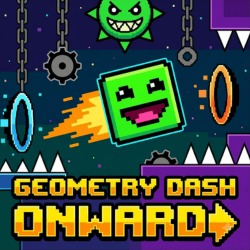 Geometry Dash Onward
 Geometry Dash Online
 Geometry Dash Rock Hard
 Geometry Dash Spam 3d
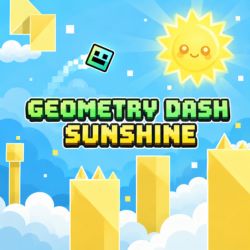 Geometry Dash Sunshine
 Geometry Dash Super Bull Phonk
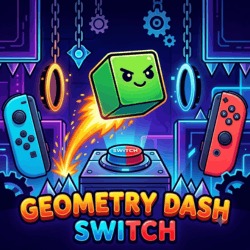 Geometry Dash Switch
 Geometry Dash Tidal Wave
 Geometry Dash The Yandere
 Geometry Dash Unblocked
 Geometry Dash: Battle of the Memes 2!
 Geometry Escape
 Geometry jump
 Geometry Platformer
 Geometry Stars
 Geometry Tile Rush
 Geometry: Omega Nuggets Wave
 Halloween Geometry Dash
 Wave God 2.2 Challenge
 Brimstone-Rebirth
 Fire And Water Geometry Dash
 GD Meltdown
 Geometry 3Dash
 Geometry Dash 2.2
 Geometry Dash Afterlife
 Geometry Dash Death Moon
 Geometry Dash Limbo
 Geometry Dash Lite 3D
 Geometry Dash Slaughterhouse
 Hyper Wave Trial
 Finger Dash
 Geometry Dash Wave 3D
 Hot
 Popular
Experience the high-velocity rhythm action of Geometry Dash Ship on Geometry Jump! Take to the skies in Geometry Dash Ship, a fast-paced arcade challenge built around one of Geometry Dash's most recognizable movement modes. Instead of jumping over obstacles, you control a flying ship that rises when you hold the input and descends when you release it.
The controls are simple, but maintaining a steady flight path takes practice. Narrow corridors, sharp spikes, and sudden changes in elevation make every movement count. Whether you're learning the basics or improving your precision, Ship Mode offers a fresh way to experience Geometry Dash gameplay.
Fast-Paced Action & Jump Physics in Geometry Dash Ship
Geometry Dash Ship focuses on the flying mechanic found in the Geometry Dash series. In the original game, Ship Mode appears when the player passes through a corresponding portal. Some browser games also offer dedicated ship-only challenges designed to help players practice aerial control.
Unlike Cube Mode, which relies on timed jumps, Ship Mode uses continuous flight physics. Your ship responds to how long you hold the control, while gravity gradually pulls it downward when you release.
This creates a different kind of challenge: you must manage your altitude while moving forward and avoid both the floor and ceiling.
Quick Guide: Controls & Rules of Play
Your goal is to guide the ship through the course without hitting obstacles. Success depends on controlling your altitude smoothly and anticipating upcoming turns.
Controls
Controls may vary slightly between browser versions, so check the game's on-screen instructions before starting.
Control Your Altitude
Avoid holding the input for too long in narrow corridors. The ship can continue moving upward briefly after you release the button, so you should anticipate its trajectory rather than react only to its current position.
Use short, controlled holds to make small adjustments and maintain a safe distance from obstacles.
Navigate Tight Corridors
Some sections leave very little room between the floor and ceiling. Focus on smooth movements instead of making large corrections in opposite directions.
Look ahead and identify the available space before adjusting your flight path. Consistent control makes these sections easier to navigate.
Adapt to Speed Changes
Speed portals can make familiar sections more demanding by reducing the time available to react. When the pace increases, prepare your movements earlier and avoid unnecessary corrections.
What Sets This Reflex Challenge Apart?
Continuous Flight Mechanics
Ship Mode replaces discrete jumps with responsive aerial control. Every hold and release changes your trajectory, making precision the central skill.
Challenging Obstacle Courses
Spikes, narrow passages, and elevation changes test your ability to maintain control under pressure.
Rhythm-Based Gameplay
Geometry Dash levels often synchronize obstacles with music. Listening to the soundtrack can help you recognize patterns and establish a consistent rhythm.
Practice-Friendly Gameplay
Dedicated ship challenges let you focus on flying without constantly switching to other movement modes. Depending on the version, you may also have access to checkpoints or adjustable difficulty.
Tips to Maximize Your Survival & High Score
1. Use short inputs. Small adjustments often provide better control than holding the button continuously.
2. Anticipate momentum. The ship does not change direction instantly when you release the input.
3. Avoid overcorrecting. Rapidly alternating between long holds and releases can make your flight path unstable.
4. Look ahead. Prepare for narrow gaps before reaching them.
5. Practice straight flight. Maintaining a steady altitude through a wide corridor helps build control and consistency.
6. Stay calm after mistakes. Learn which input caused a collision and adjust your timing on the next attempt.
Explore More Exciting Arcade Dash Games on Geometry Jump
Both modes require precise timing, but their movement mechanics are fundamentally different.
Ship Mode rewards careful altitude management, while Cube Mode focuses on jumping over obstacles at the correct moment.
Explore More Geometry Dash Games
Want to try other challenges? Explore these games on geometryjump.games:
Why Play Geometry Dash Ship?
Geometry Dash Ship offers a focused test of coordination and precision. Its simple controls make it easy to understand, but mastering continuous flight requires patience and consistent practice.
Learning to control altitude, anticipate momentum, and navigate narrow corridors can also help you perform better in Geometry Dash levels that include Ship sections.
Play Geometry Dash Ship Online
Ready to take flight? Start a supported version of Geometry Dash Ship, practice smooth altitude adjustments, and guide your ship through every obstacle.
Play Geometry Dash Ship online for free and put your flying skills to the test!
Explore More Popular Games on Geometry Jump
If you enjoy testing your timing and reflexes in Geometry Dash Ship, be sure to explore other top-rated rhythm titles on Geometry Jump: